


AutoCAD. Polylines. Objects at intersections and quadrilateral by points
Today, our free set of commands for working with polylines in AutoCAD has been expanded with two new commands!
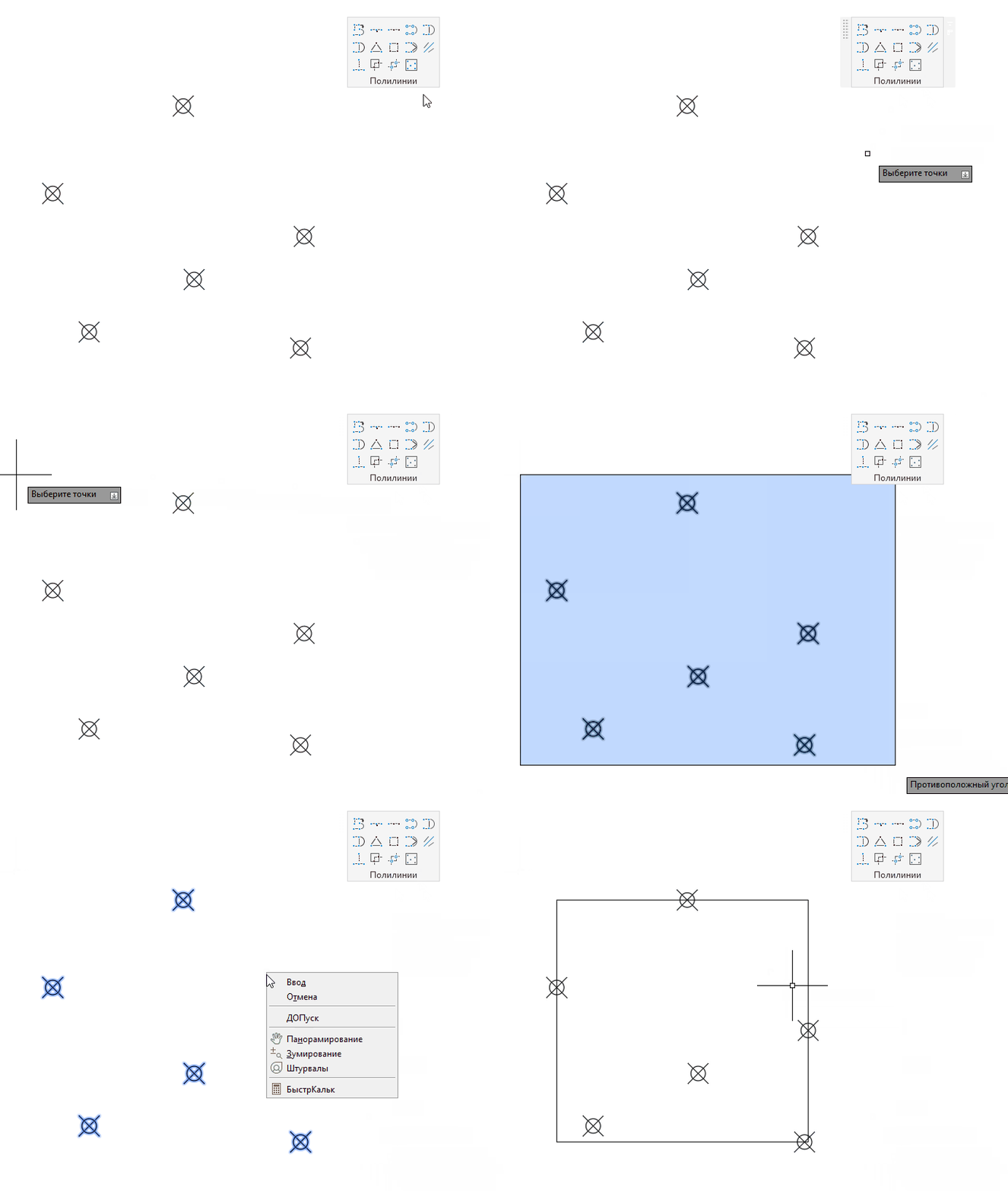
Quadrilateral by points
This command allows you to create a bounding quadrilateral by two or more points, taking into account the current coordinate system:
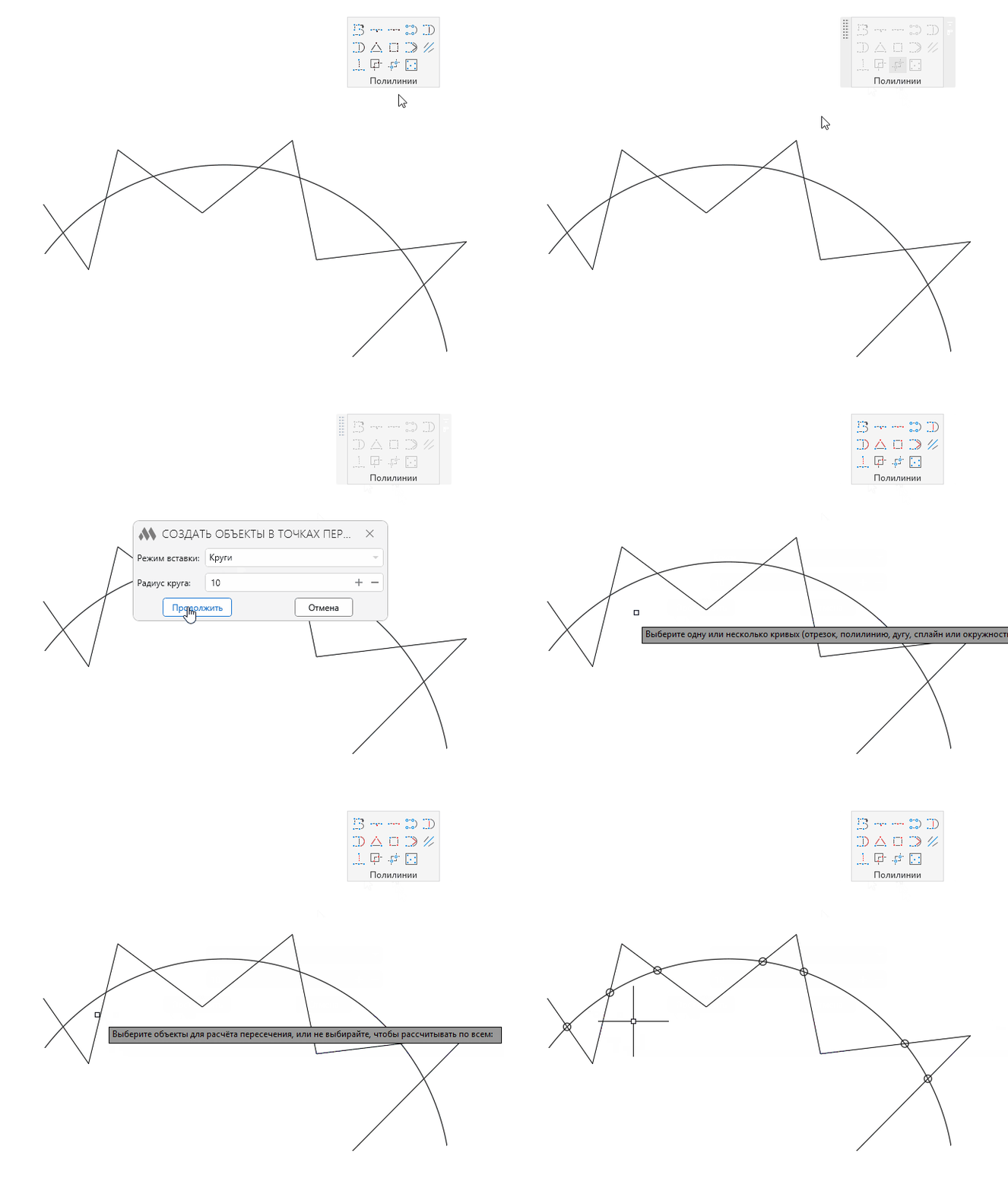
Create objects at intersection points
This command allows you to create objects (point, circle, or block) at the intersection points of curves:
Other
Today's update also includes other useful changes:
- In the "Split curve at intersection points" command, it is now possible to select multiple polylines, as well as specify among which specific objects to search for intersections
- In the "Building the middle line" command, the window requesting polyline simplification has been replaced with command-line input
- In the "Building the middle line" command, an error has been fixed where the last point was not calculated
- In the "Split curve at intersection points" command, an error has been fixed where objects from other layouts were taken into account when calculating intersections
Update, try it out, and write to us with your ideas for new commands!
Enjoy your work with ModPlus!