Launch Options
Icon
Related News and Articles
Using
When AutoCAD is loaded, new items appear in the context menu:
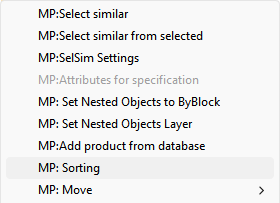
The command is intended for sorting data in tables with the ability to select direction, sorting area, and preserve cell styles.
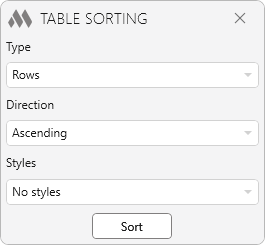
Type – defines the sorting scope:
- Rows – sorts data vertically within the selected area, separately in each column
- Columns – sorts data horizontally within the selected area, separately in each row
- Rows completely – sorts whole rows within the selected area
- Columns completely – sorts whole columns within the selected area
Direction – defines sorting order:
- Ascending – from smaller to larger (A–Z, 0–9)
- Descending – from larger to smaller (Z–A, 9–0).
Styles – defines whether cell styles are preserved during sorting:
- No styles – only cell values are sorted, styles remain in original positions
- With styles – data is moved together with formatting styles (color, text height, alignment, etc.).
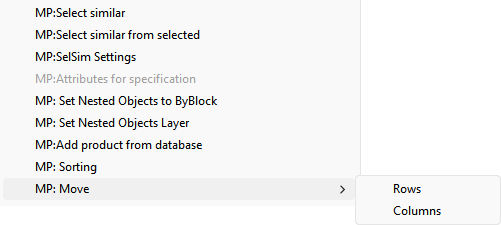
The command is intended for moving rows or columns in a table.
- Move rows – select individual cells or entire rows, then choose MP: Move → Rows and specify the position before which the selected rows should be placed. Rows are moved to the new location, and the remaining rows shift automatically.
- Move columns – select individual cells or entire columns, then choose MP: Move → Columns and specify the position before which the selected columns should be placed. Columns are moved to the new location, and the remaining columns shift automatically.


