


-
Прямая и обратная конвертация элементов топотела в перекрытие
Значок


Связанные новости и статьи
Использование
Плагин доступен в версиях Revit 2024 и выше.
После запуска плагина необходимо выполнить следующие действия:
Выберите топотела и/или перекрытия – выбор элементов, которые необходимо конвертировать в перекрытия и/или топотела.
Если перед запуском плагина элементы уже были выбраны в модели, обработке будут подлежать только они.
После выбора элементов появится окно с запросом, необходимо ли удалять исходные элементы после конвертации:
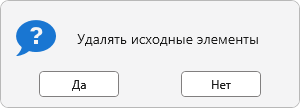
Для перекрытия будет использован типоразмер, заданный по умолчанию в текущем документе. Для топотела – типоразмер с наименьшим ID в проекте, то есть созданный первым.
-
-
История изменений заГод
2026 Год
Revit: Топотело-перекрытие 1.0.1.0 (03.04.2026)
ImprovedСервисное обновление.Revit: Топотело-перекрытие 1.0.0.0 (02.04.2026) Подробнее
ReleaseРелиз. -