{changehistorympDimByLine{/changehistory}
Call options
- ModPlus floating menu or palette
- AutoCAD ribbon
- Command line: _mpDimByLine
Icon
Related news and articles
USING
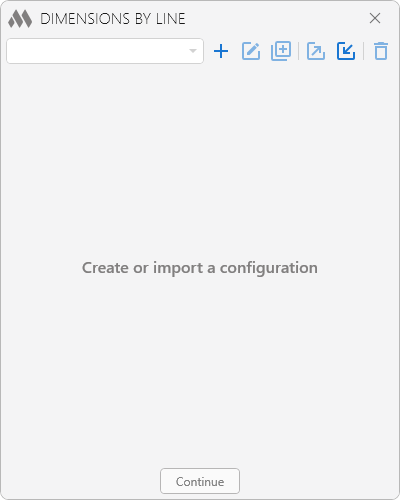
To begin working with the plugin, create a dimension configuration by clicking  . Created configurations can be duplicated
  , renamed
  , exported
  , imported
  , and deleted
  using the corresponding buttons.
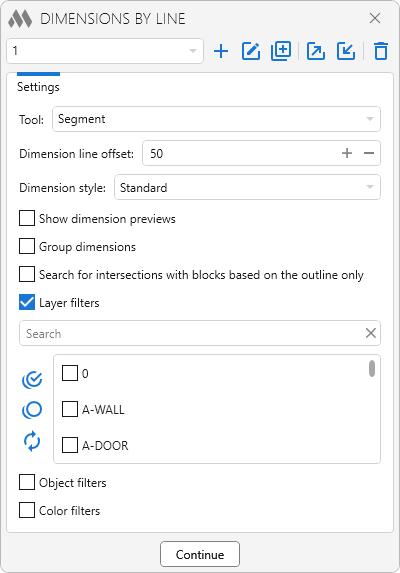
The dimension creation settings are located below:
Tool – defines the method used to create the dimension line. The following options are available:
- Line – creates a linear dimension
- Arc – creates an arc dimension
Dimension line offset – specifies the distance between the dimension line and the objects.
Dimension style – specifies the style of the created dimensions.
Group dimensions – combines consecutive identical dimensions into a single dimension text indicating the number of repetitions.
Search for intersections with blocks based on the outline only – when enabled, intersections are detected only by the block outline without considering the objects contained within the block.
Show dimension previews – displays a preview of the dimensions before they are created.
Manual selection of dimension directions – allows you to manually specify the direction of the dimensions to be created after drawing the line.
Layer filter and Color filter can be used to refine object selection. The Object filter allows dimensions to be created only for the object types selected in the list. Each filter includes a search box for quickly finding items in the list and buttons to select all items  , clear the selection
  , and invert the selection
  .
.
Depending on the selected dimension line creation method, after clicking the Continue button, the following prompts are displayed:
Specify first point – specifies the first point of the reference line.
Specify next point – specifies the second point of the reference line.
Specify center point of arc – specifies the center point for the reference arc.
Specify start point of arc – specifies the start point of the reference arc.
Specify next point – specifies the end point of the reference arc.
The plugin analyzes the objects matching the specified filters and creates a dimension chain according to the selected settings.
When the Manual selection of dimension directions option is enabled, after drawing a line segment or arc, you must perform the following command:
Dimension line position – specifies the position of the dimension line to be created relative to the drawn line.
The plugin operates in a continuous mode, repeatedly prompting for points to create dimensions until the command is canceled by pressing Esc.


