


Revit. Room finishing. New interface, flexible finishing settings and parameter filling
We present to you an update of the Room finishing plugin — version 4.0!
In this version we have reworked the interface for setting up finishing walls, extended the possibilities of placing the finishing and added new tools for working with parameters. Here is a closer look at what has changed.
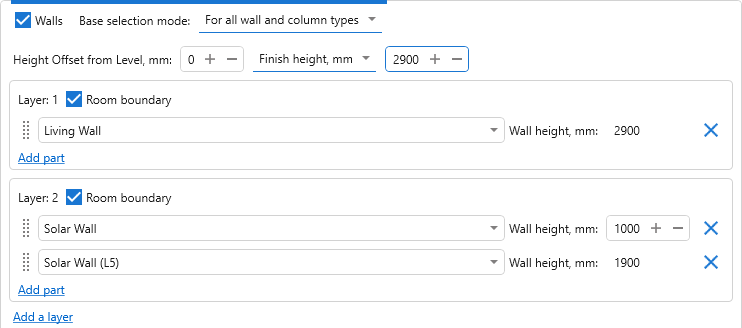
We have updated the interface for setting up finishing walls, making the work with layers and with the parts of the finishing by height more illustrative. It has also become possible to set the height of the finishing directly — from its bottom boundary. This is convenient, for example, when the cladding has to have the same height in rooms with different top elevations.
The blocks of finishing creation settings can now be given names and collapsed. For example, you can name the blocks by the purpose of the rooms or by the finishing variant, in order to find the settings you need in a large configuration faster.
In addition, the order of the floor and ceiling types can now be changed by dragging.
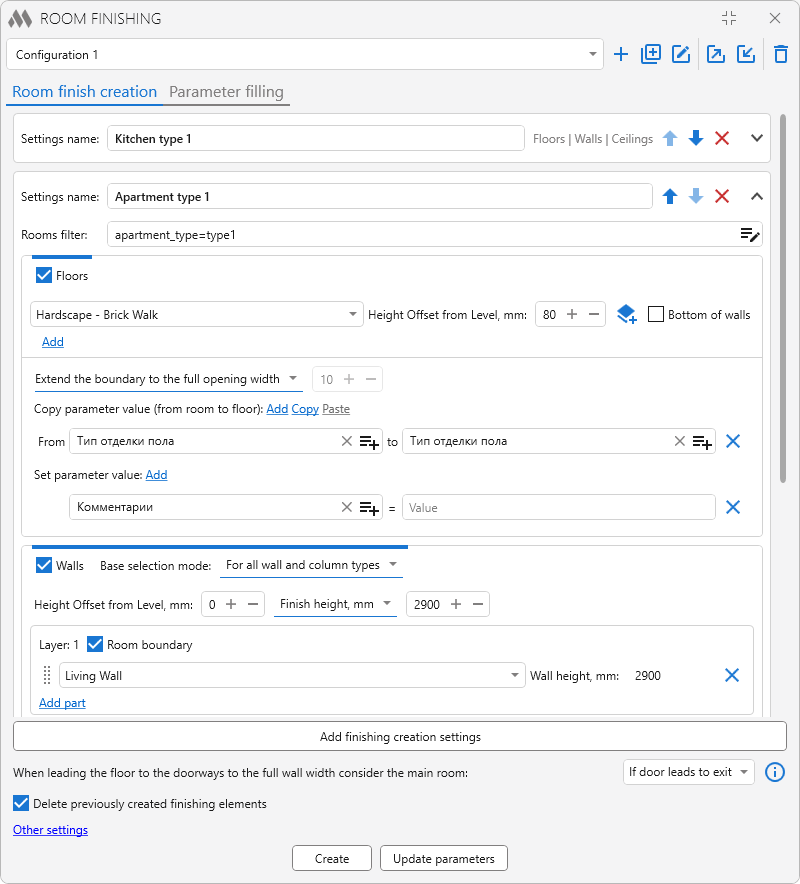
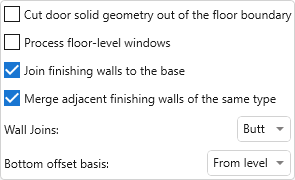
The "Merge adjacent finishing walls of the same type" option has appeared in the additional settings. If you disable it, the neighbouring sections of the finishing will be created as separate walls without being merged into a single element. This way you can choose the way of building that suits the requirements to the model.
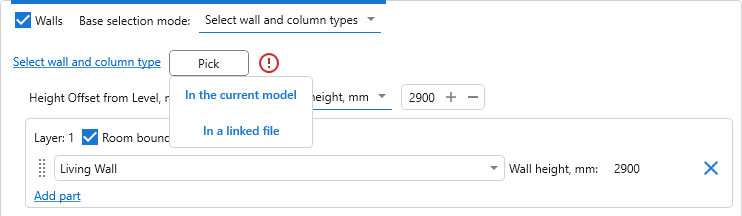
The hosts for finishing walls can now be selected directly in linked files. In the mode of selecting wall and column types, the "In a linked file" variant is available for the "Select" button. With its help you can specify the walls and columns you need in a linked model.
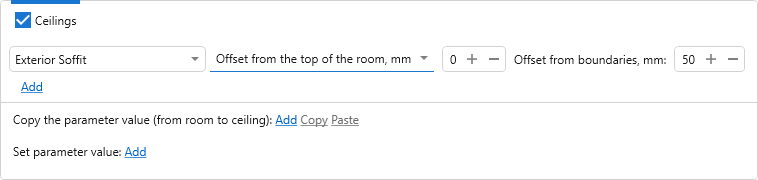
Two new settings have been added for ceilings. The first one allows you to set the offset from the top of the room — for example, when the position of the ceiling has to be determined relative to the upper boundary of the room.
The second one — "Offset from boundaries" — allows you to shift the contour of the ceiling inwards the room, leaving a gap between the ceiling and the walls.
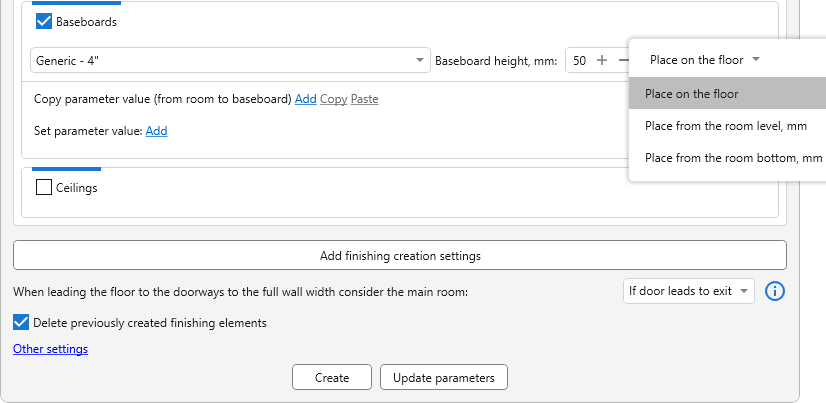
A choice of the placement location has appeared for baseboards:
- on the floor;
- from the room level with a specified offset;
- from the room bottom with a specified offset.
Now the position of the baseboard can be set up taking into account the adopted way of modelling floors and rooms.
We have also improved the linking of existing finishing to rooms. If the selected elements include walls with a height of 80 to 200 mm, the plugin will ask you to specify whether they should be considered baseboards. This will help to take such elements into account correctly in the further work with the finishing.
The parameters of the finishing elements can now be filled with specified values. In the "Set parameter value" section it is enough to specify the parameter and the value that has to be written. For example, this is how you can fill the "Comments" parameter with the text "Typical finishing".
In addition, the rules for copying values from rooms can now be copied and pasted between the setting blocks. This reduces repeated setting up when the same data transfer rules are used in several finishing variants.
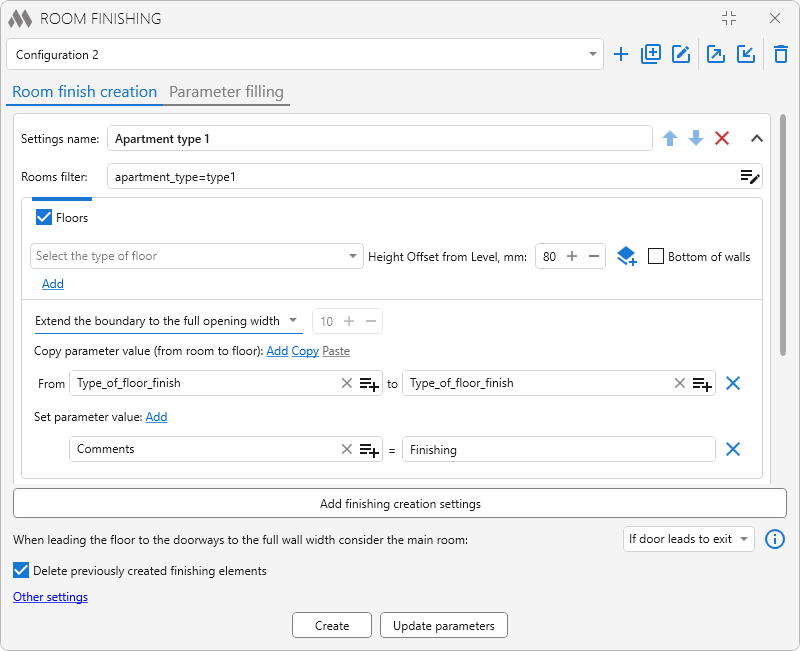
Support for key parameters has been added to the transfer of values from rooms: the finishing element is assigned the key with the same name from its key schedule.
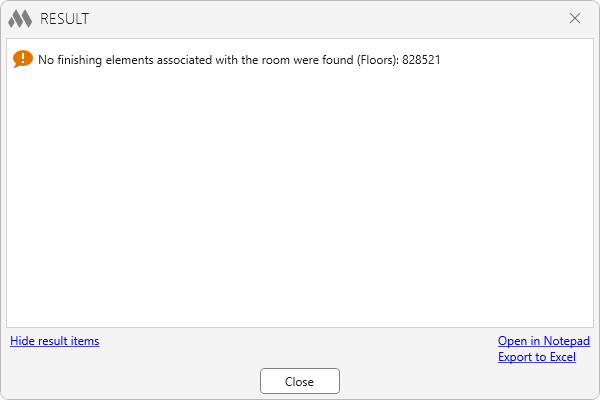
We have also extended the results of filling the parameters: they now show the rooms for which no linked finishing elements have been found. This makes it easier to notice the rooms that were missed and to check whether there is a link to the finishing.
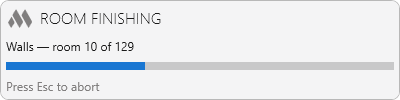
A progress window has appeared when creating and updating the finishing. It allows you to follow the course of the operation, and if necessary the operation can be interrupted with the Esc key.
Besides the new possibilities, errors have been fixed in version 4.0:
- in some cases compound walls from linked files were not taken into account as a host for finishing walls;
- the contours of floors and ceilings were incorrectly split into separate segments along one wall;
- in some cases door openings were formed incorrectly;
- types with the same name from different families were selected incorrectly;
Share your suggestions on the development of the plugin in our support chat!
Enjoy your work with ModPlus!