


Save notification
The service is included in the working libraries for Revit and is available when installing ModPlus without installing plugins. To start using the service, enable the Notify if saving is required option.
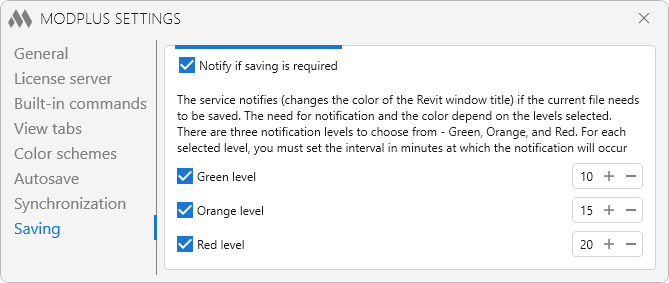
The service changes the color of the Revit window title when it is necessary to save the current file. The color and timing of the notification depend on the selected levels. Three notification levels are available: Green, Orange, and Red. For each selected level, specify the interval in minutes (from 5 to 120 min) at which the notification will appear. You may select all three notification levels or only one or two by clearing the corresponding checkboxes.
Vivid colors – enables more saturated colors for notification level indicators.
Example of an Orange level notification:
