


-
Appending text to multileader, single-line text, multiline text, dimensions
Call options
- ModPlus floating menu or palette
- Menu, toolbar, or ribbon in nanoCAD
- Command line: _mncAppendText
Icon


USING
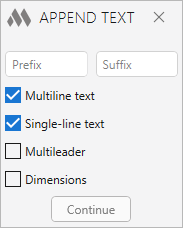
Prefix, Suffix – fields for specifying respectively prefix and suffix to the selected object. To place text on a separate line, add “\P” to the end of the line for Prefix and to the beginning of the line for Suffix:
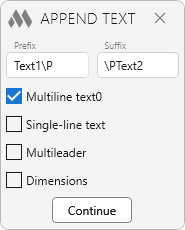
After specifying values for prefix and/or suffix, it is necessary to check the checkboxes of the object types, to the text of which the prefix and/or suffix will be added:
- Multiline text
- Single line text
- Multiline text
- Dimensions.
Continue – switch to nanoCAD to select objects and then add a prefix and/or suffix. If objects whose types are checked in the plugin window were selected before running the plugin, the selected objects will be processed.
-