


Revit. Room finishing. New interface, flexible finishing settings and parameter filling
We present to you an update of the Room finishing plugin — version 4.0!
In this version we have reworked the interface for setting up finishing walls, extended the possibilities of placing the finishing and added new tools for working with parameters. Here is a closer look at what has changed.
We have updated the interface for setting up finishing walls, making the work with layers and with the parts of the finishing by height more illustrative. It has also become possible to set the height of the finishing directly — from its bottom boundary. This is convenient, for example, when the cladding has to have the same height in rooms with different top elevations.
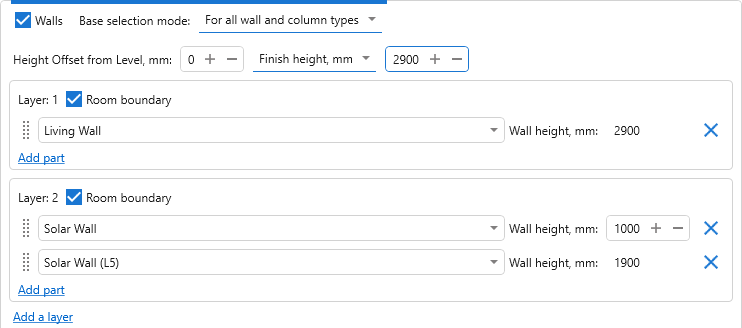
The blocks of finishing creation settings can now be given names and collapsed. For example, you can name the blocks by the purpose of the rooms or by the finishing variant, in order to find the settings you need in a large configuration faster.
In addition, the order of the floor and ceiling types can now be changed by dragging.
CommentsRevit. Parametrization. New strategies, new functions, element grouping, pre-filters, a palette for quick launching and much more
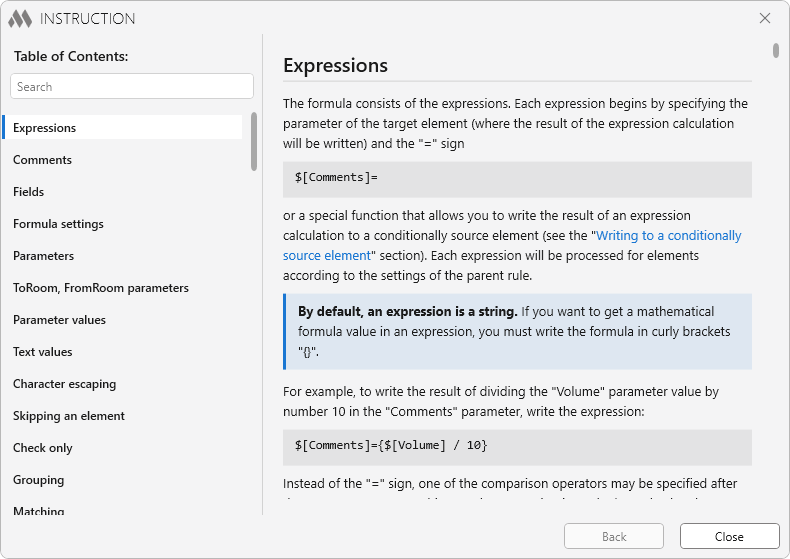
Today we have released the biggest update both in the history of Parametrization and, perhaps, in the history of any ModPlus plugin!
The new version of Parametrization brings you new functions, new strategies, element grouping, the unique ManyToMany strategy, pre-filters, a palette for quick launching, a redesigned instruction, new features of the formula editor and much more. We will tell you about all of this below, and we strongly recommend that you read this article
CommentsNew localization languages: French, Portuguese (Brazil) and Uzbek
We are glad to announce that we have added new localization languages: French, Portuguese (Brazil) and Uzbek!
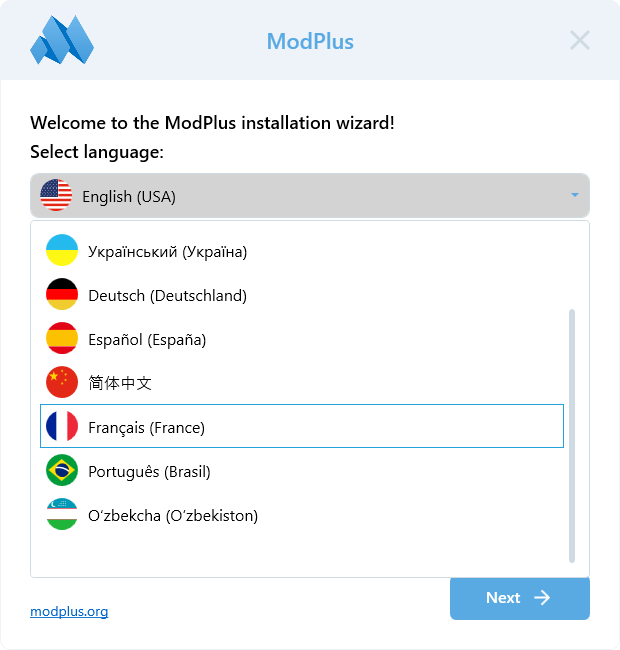
The translations have been added to the software only. We are not planning translations on the website at the moment.
All the translations are machine translations and therefore may contain errors. But we are sure that such errors will not be critical. If you come across an incorrect translation – be sure to write to us!
Enjoy your work with ModPlus!
CommentsCompact mode
We present to you a new ModPlus interface feature — Compact mode!
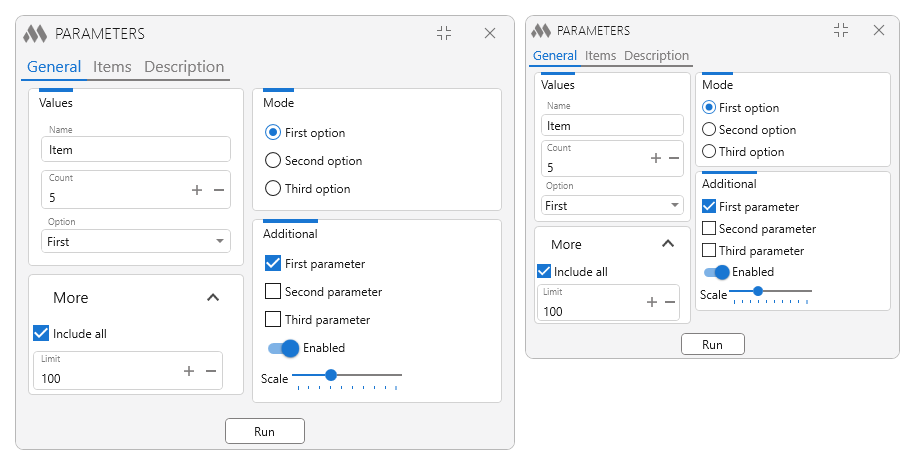
Compact mode makes plugin windows smaller — without removing anything from them. All the fields, lists and buttons stay in place, there is simply less empty space between them. It is enabled in the ModPlus settings, right below the theme selection. An example of the settings in Revit:
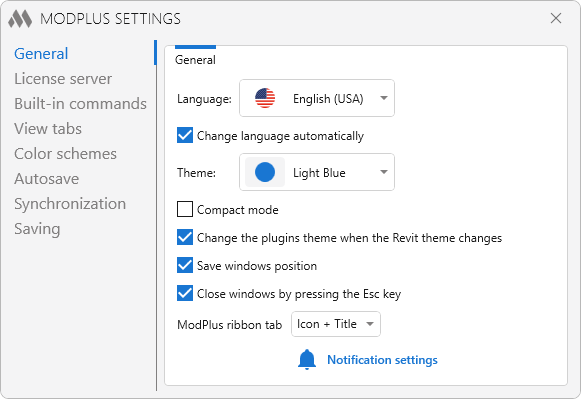
Below we tell you how the compactness is achieved and what nuances there are
CommentsNew plugin for Revit. MEP tap
We present to you a new free plugin for Revit – MEP tap!
We plan for this plugin to become a collection of commands for working with taps, similar to our other plugins for MEP. At the moment we are releasing the plugin with one command – Replace junction, which allows you to replace a tee with a tap and a tap with a tee while keeping the original position of the main run:
We look forward to your ideas and suggestions for adding new commands for working with taps! Write to us in our support chat or by email!
Enjoy your work with ModPlus!
Comments